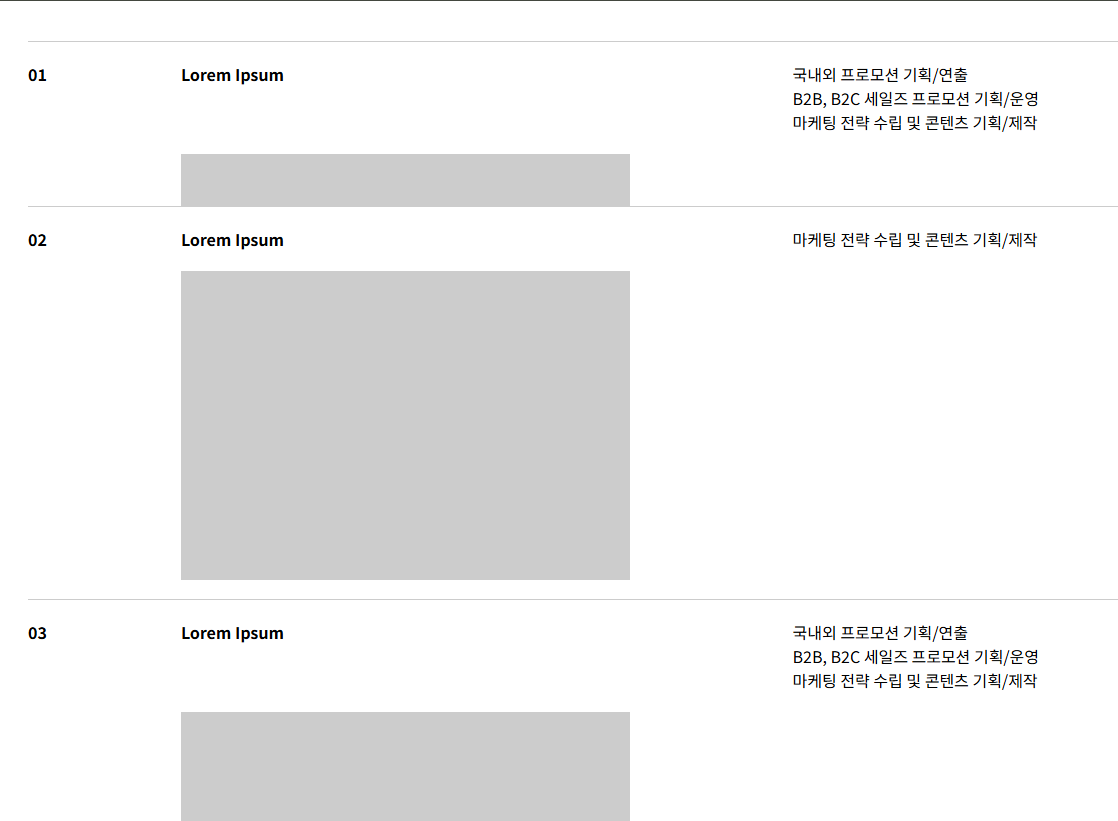
position:sticky; top:var(--_..);를 활용하여 stacking cards 느낌이 나도록 한 사이트를 카피구현 해봄.
유의사항 : 가장 마지막 아이템은 아이템 갯수나 개별 높이에 상관없이 sticky 효과가 안 나기 때문에 기존 아이템과 다른 느낌의 아이템 또는 가짜 아이템으로 충분한 여백을 설정해줄것
HTML
|
1
2
3
4
5
6
7
8
9
10
11
12
13
14
15
16
17
18
19
20
21
22
23
24
25
26
27
28
29
30
31
32
33
34
35
36
37
38
39
40
41
42
43
44
45
46
47
48
49
50
51
52
53
54
55
56
57
58
59
60
61
62
63
64
65
66
67
68
69
70
71
72
73
74
75
76
77
78
79
80
81
82
83
84
85
86
87
88
89
90
91
92
93
94
95
96
97
98
99
100
|
<!DOCTYPE html>
<html lang="en">
<head>
<meta charset="UTF-8">
<meta name="viewport" content="width=device-width, initial-scale=1.0">
<title>스크롤 아코디언</title>
<!-- lib -->
<script src="./lib/lenis.min.js"></script>
<script src="https://unpkg.com/lenis@1.1.18/dist/lenis.min.js"></script>
<!-- custom -->
<link rel="stylesheet" href="./style.css">
<script src="./main.js" type="module"></script>
</head>
<body>
<a href="https://www.gmcom.co.kr/careers/" target="_blank">참고 사이트:gmcom.co.kr</a>
<section
style="position:relative;width:100%;height:100vh;display:flex;justify-content:center; align-items:center;background:#ccc;">
기타 내용(스크롤 하셈)
</section>
<section class="wrap">
<h1 class="title">Grow With Us,<br />Inspire Change.</h1>
<ul class="list">
<li class="listitem" style="--_idx:0;">
<article class="listitem-txt">
<p class="listitem-idx">01</p>
<h2 class="listitem-title">Lorem Ipsum</h2>
<div class="listitem-ctnt">
<p>국내외 프로모션 기획/연출</p>
<p>B2B, B2C 세일즈 프로모션 기획/운영</p>
<p>마케팅 전략 수립 및 콘텐츠 기획/제작</p>
</div>
<article class="listitem-visual"></article>
</article>
</li>
<li class="listitem" style="--_idx:1;">
<article class="listitem-txt">
<p class="listitem-idx">02</p>
<h2 class="listitem-title">Lorem Ipsum</h2>
<div class="listitem-ctnt">
<p>마케팅 전략 수립 및 콘텐츠 기획/제작</p>
</div>
<article class="listitem-visual"></article>
</article>
</li>
<li class="listitem" style="--_idx:2;">
<article class="listitem-txt">
<p class="listitem-idx">03</p>
<h2 class="listitem-title">Lorem Ipsum</h2>
<div class="listitem-ctnt">
<p>국내외 프로모션 기획/연출</p>
<p>B2B, B2C 세일즈 프로모션 기획/운영</p>
<p>마케팅 전략 수립 및 콘텐츠 기획/제작</p>
</div>
<article class="listitem-visual"></article>
</article>
</li>
<li class="listitem" style="--_idx:3;">
<article class="listitem-txt">
<p class="listitem-idx">04</p>
<h2 class="listitem-title">Lorem Ipsum</h2>
<div class="listitem-ctnt">
<p>국내외 프로모션 기획/연출</p>
<p>B2B, B2C 세일즈 프로모션 기획/운영</p>
<p>마케팅 전략 수립 및 콘텐츠 기획/제작</p>
<p>마케팅 전략 수립 및 콘텐츠 기획/제작</p>
<p>마케팅 전략 수립 및 콘텐츠 기획/제작</p>
</div>
<article class="listitem-visual"></article>
</article>
</li>
<li class="listitem" style="--_idx:4;">
<article class="listitem-txt">
<p class="listitem-idx">05</p>
<h2 class="listitem-title">Lorem Ipsum</h2>
<div class="listitem-ctnt">
<p>B2B, B2C 세일즈 프로모션 기획/운영</p>
<p>마케팅 전략 수립 및 콘텐츠 기획/제작</p>
</div>
<article class="listitem-visual"></article>
</article>
</li>
<li
style="position:relative;width:100%;height:100vh;background:red;text-align:center;font-size:10vw;padding:20px;">
HELLO
WORLD</li>
</ul>
</section>
<section
style="position:relative;width:100%;height:100vh;display:flex;justify-content:center; align-items:center;background:#ccc;">
마지막
</section>
</body>
</html>
|
cs |
CSS
|
1
2
3
4
5
6
7
8
9
10
11
12
13
14
15
16
17
18
19
20
21
22
23
24
25
26
27
28
29
30
31
32
33
34
35
36
37
38
39
40
41
42
43
44
45
46
47
48
49
50
51
52
53
54
55
56
57
58
59
60
61
62
63
64
65
66
67
68
69
70
71
72
73
74
75
76
77
78
79
80
81
82
83
84
85
86
87
88
89
90
91
92
93
94
95
96
97
98
99
100
|
* {
margin: 0;
padding: 0;
box-sizing: border-box;
}
li {
list-style-type: none;
}
.wrap {
position: relative;
width: 100%;
padding: 200px 0 0 0;
}
.title {
position: relative;
margin-bottom: 1em;
letter-spacing: -.025em;
line-height: 1;
font-size: 5vw;
}
.list {
position: relative;
padding-top: 40px;
width: 100%;
}
.listitem {
position: relative;
position: sticky;
top: var(--_hei);
width: calc(100% - 80px);
margin: 0 auto;
padding-bottom: 20px;
background: #fff;
border-top: 1px solid #ccc;
font-size: 16px;
color: #000;
container-type: inline-size;
container-name: itembox;
}
.listitem-txt {
display: grid;
gap: 20px 10px;
position: relative;
padding-top: 20px;
width: 100%;
font-weight: bold;
}
.listitem-idx {
position: relative;
}
.listitem-title {
font-size: 1em;
}
.listitem-ctnt {
font-weight: normal;
}
.listitem-visual {
grid-column: 2 / span 3;
position: relative;
width: 100%;
aspect-ratio: 16 / 11;
background: #ccc;
}
@container itembox (width > 600px) {
.listitem-txt {
grid-template-columns: repeat(8, 1fr);
}
.listitem-title {
grid-column: 2 / span 2;
}
.listitem-ctnt {
grid-column: auto / span 3;
}
}
@container itembox (width > 1200px) {
.listitem-txt {
grid-template-columns: repeat(12, 1fr);
}
.listitem-title {
grid-column: 2 / span 4;
}
}
|
cs |
main.js
|
1
2
3
4
5
6
7
8
9
10
11
12
13
14
|
import { smooth_scroll_lenis } from "./smoothScroll.js";
const $$item = document.querySelectorAll(".listitem");
let prevHei = 40;
$$item.forEach($item => {
const $visual = $item.querySelector(".listitem-visual");
const visTop = $visual.offsetTop;
$item.style.setProperty("--_hei", `${prevHei}px`)
prevHei += (visTop);
});
/* 7. lenis */
const lenis = new Lenis();
smooth_scroll_lenis(lenis);
|
cs |
smoothScroll.js
lenis 라이브러리 사용
|
1
2
3
4
5
6
7
8
9
10
11
|
/**
* lib : smooth scroll
*/
export function smooth_scroll_lenis(lenis) {
function raf(time) {
lenis.raf(time);
requestAnimationFrame(raf);
}
requestAnimationFrame(raf);
} //smooth_scroll_lenis
|
cs |
'CSS&JS > 👀Study from Copying' 카테고리의 다른 글
| [JS]관람차 캐러셀 슬라이드 ferris wheel carousel (0) | 2026.04.23 |
|---|---|
| [CSS,JS] requestAnimationFrame 으로 marquee 구성하기 (0) | 2026.04.10 |
| [JS]canvas로 오디오 파형 그리기 (0) | 2026.03.12 |
| [JS] canvas로 오디오 스펙트럼 그리기 (0) | 2026.03.12 |
| [CSS] linear-gradient와 mask를 이용한 점박이 무늬(패턴) 배경 (0) | 2025.09.18 |